
If you'd like to update your credit card information, you can do so by following the directions below:
How to Update Your Credit Card for Curriculum Access
-
Log in to the portal.
-
In the left-side menu, click on “Team Management.”
-
Then, click on “My Subscription.”
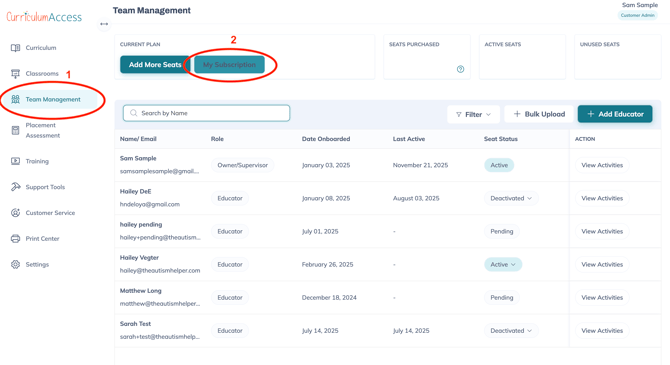
A pop-up window will appear, similar to the screenshot below. -
In the pop-up, click the button that says
“View account details on Stripe.com.”
-
This will take you to Stripe, where you can update your credit card information.
If you’d prefer to use another payment method besides a credit card, just let us know at customerservice@theautismhelper.com what works best for you, and we'll be happy to help set that up.
If you are looking to cancel your subscription, make sure the "Auto Renew" box in the image above is UNCHECKED. Your account will only remain active until your subscription expires. At this time, you will not be charged and will no longer be able to access the content in the system. You will be able to log back in and supply payment if you choose to renew your account at a later date.