
In order to cancel your renewal, you will need to follow the directions below:
How to Update Your Credit Card for Curriculum Access
1. Log in to the portal.
2. In the left-side menu, click on “Team Management.”
3. Then, click on “My Subscription.”
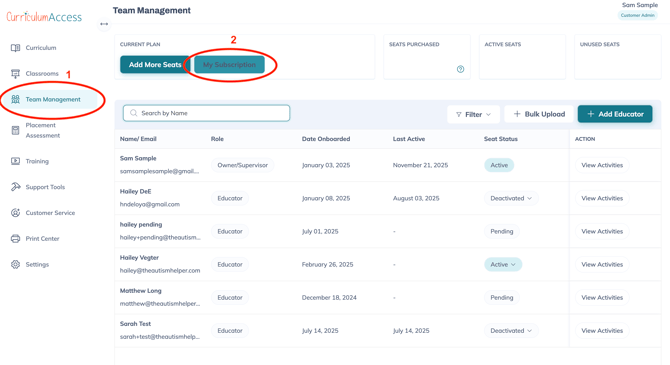
A pop-up window will appear, similar to the screenshot below.
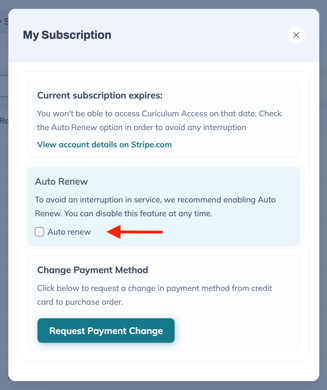
4. In the pop-up, make sure the "Auto Renew" box in the image below is UNCHECKED
Your account will only remain active until your subscription expires. At this time, you will not be charged and will longer be able to access the content in the system. You will be able to log back in and supply payment if you choose to renew your account at a later date.